Lessons · 110 With other gear
110 With other gear
Send Polly's band to a computer, follow its clock, play from a keyboard and mirror the screen.
Picks up where 109 left off, but any song works.
1. Send MIDI outConnect the FM-1 to your computer with a USB cable. It shows up as a MIDI device named "Polly FM-1".Press GLO for Setup. KNOB 2 (MIDI out) is on, so every instrument goes out on its own channel. Polly also sends MIDI clock, start and stop. In your music software, record MIDI from Polly FM-1. | 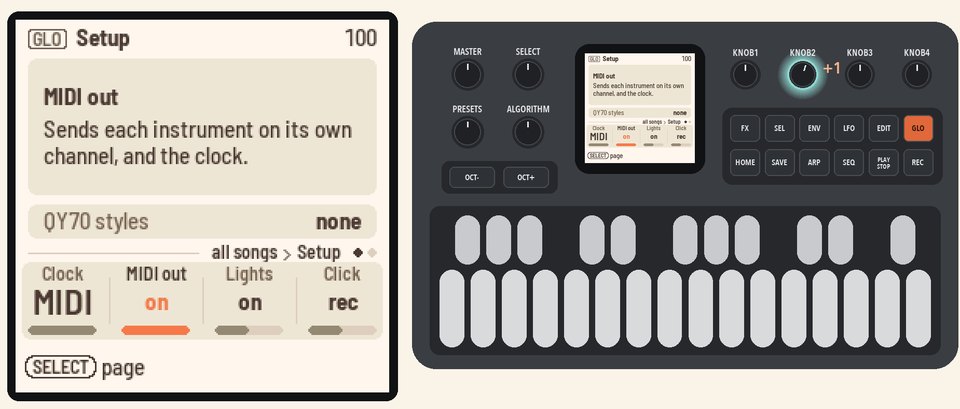 |
2. Follow MIDI clockOn Setup, KNOB 1 (Clock) is on MIDI.When MIDI clock comes in, Polly follows its tempo, start and stop, and on every page except Home, the header shows "ext" in place of the tempo. | 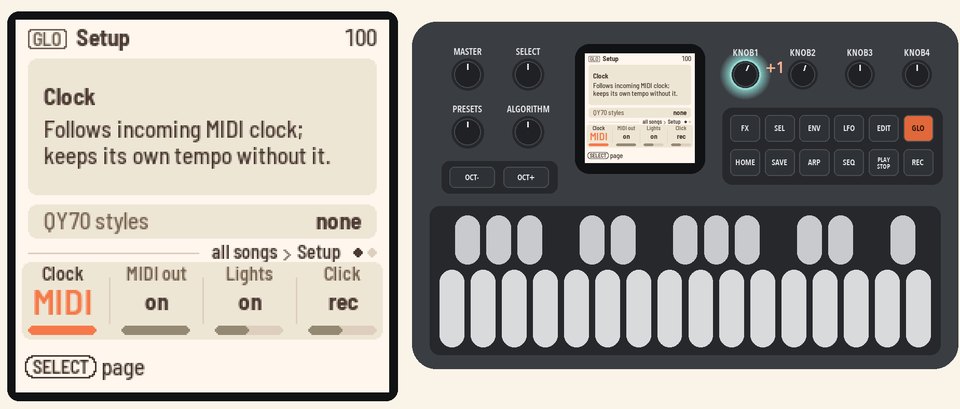 |
3. Play from a keyboardConnect a MIDI keyboard to the FM-1's TRS MIDI jack and play. Your notes play Polly's sounds along with the band.MIDI in plays all 16 channels, with drums on channel 10. MIDI from your computer over USB plays them the same way. | |
4. Mirror the screenConnect the FM-1 to your computer with a USB cable. Open the Mirror page in Chrome or Edge. Press Connect and allow MIDI with SysEx.You'll see Polly's screen and panel live on the page. To save a picture of the screen, press Save PNG. | |
More in the manual
For the lights, the click and the controllers MIDI in follows, see Setup and MIDI. To play Polly from the Mirror page or from a script, see Screen mirroring.