Lessons · 105 Recording a melody
105 Recording a melody
Record a melody along your song, add notes to one section, and record a second melody.
Picks up where 104 left off, with Polly stopped and your song of three sections. Any song with two sections or more works.
1. Start recording M1Press PLAY, then press EDIT for the Sound page. Turn ALGORITHM past C4 to M1 for the first melody, and press REC. Recording starts when the Intro ends. | 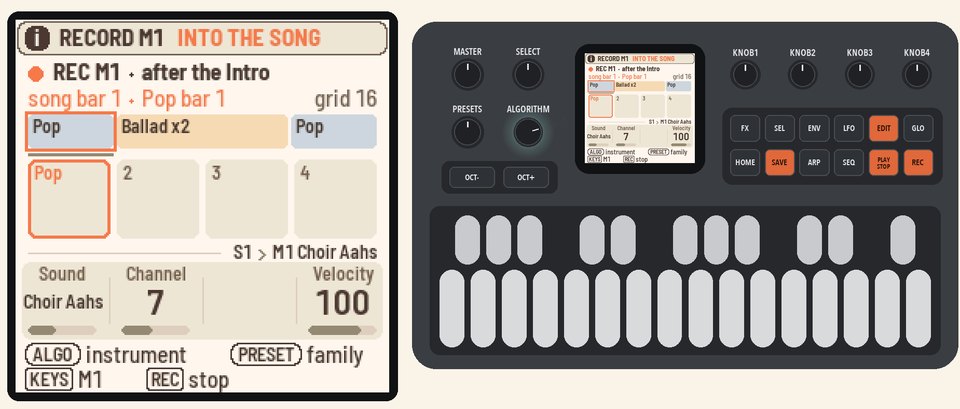 |
2. Play a melodyPlay a melody across sections 1 and 2. The top line shows the whole song. Below it are the four bars around where you are. Your notes appear in both.Press REC to stop recording, then PLAY to stop Polly. | 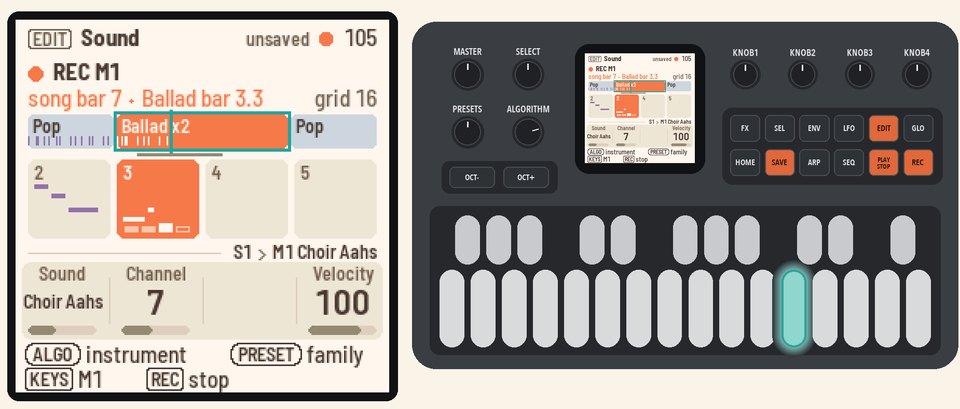 |
3. Add to section 2Press HOME for the Home page, and HOME again for the Song page. The cursor is on section 2, where the song stopped.Press EDIT, then REC, then PLAY. Polly clicks for one bar, and then section 2 plays. Play a few notes. They're added to the ones already there. Press REC, then PLAY, to stop. | 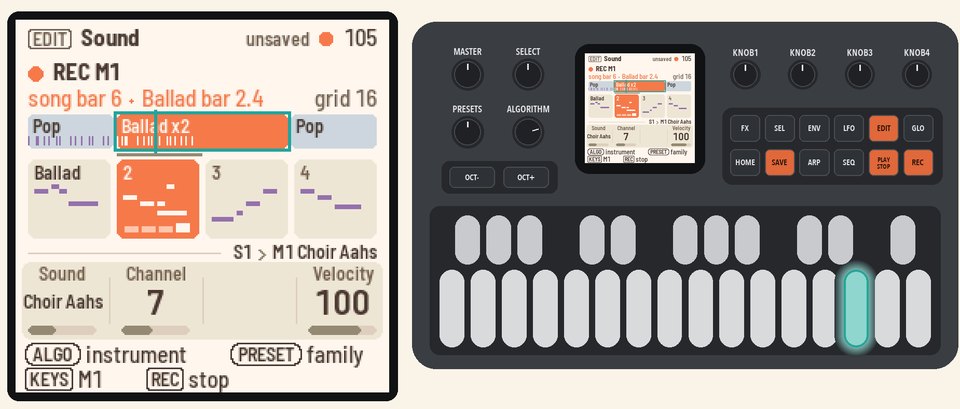 |
4. Record M2Turn ALGORITHM to M2 for the second melody. Press REC, then PLAY, and start playing after the bar of clicks. M1's notes show pale underneath.Press REC, then PLAY, to stop. | 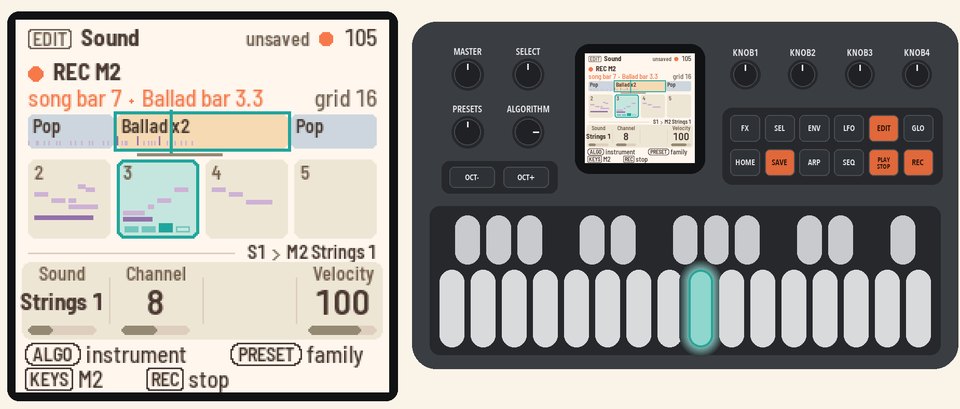 |
More in the manual
For where melodies play, clearing or copying a section's melody, and a melody's sound, see Melodies. For the count-in and the grid, see How recording works. See also The Song page.