Lessons · 101 Playing live
101 Playing live
Pick a style, play chords, and the band follows.
1. Pick a styleSwitch Polly on. On the Home page, turn KNOB 1 (Style) to Funk. | 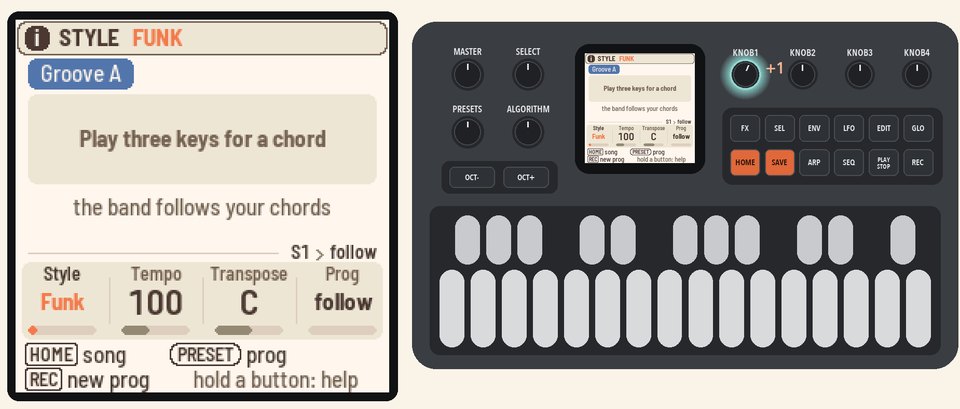 |
2. Play chordsHold three keys or more, then press PLAY. Polly names the chord, and the band plays it.The chord keeps playing when you let go. Play Em7 and A7, two bars each. | 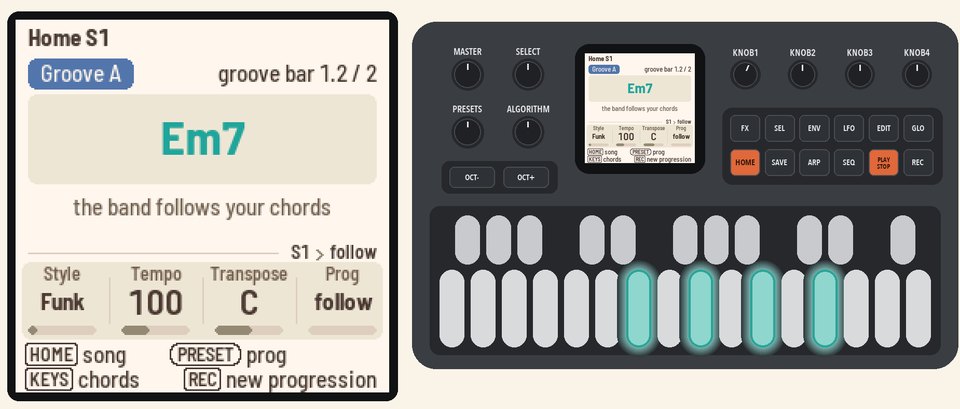 |
3. Go busierHold HOME and press black key 4. At the next bar, a fill plays, and then the band moves to the busier Groove B. | 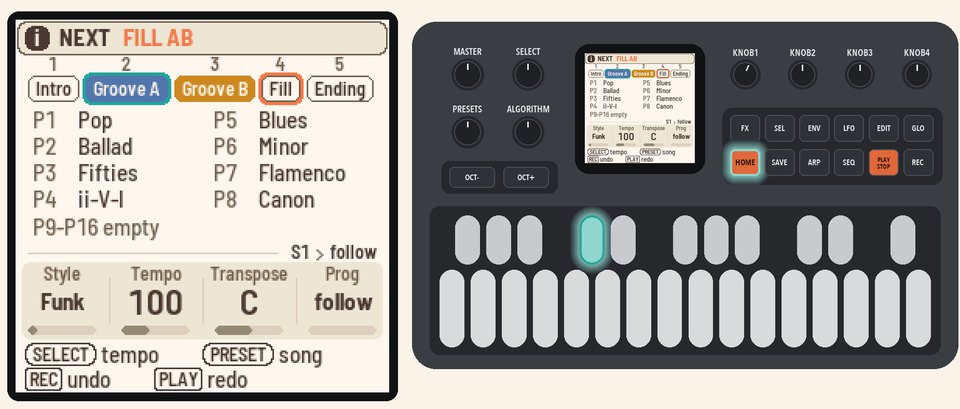 |
4. Come back downHold HOME and press black key 4 again. A fill plays, and the band goes back to the calmer Groove A. | 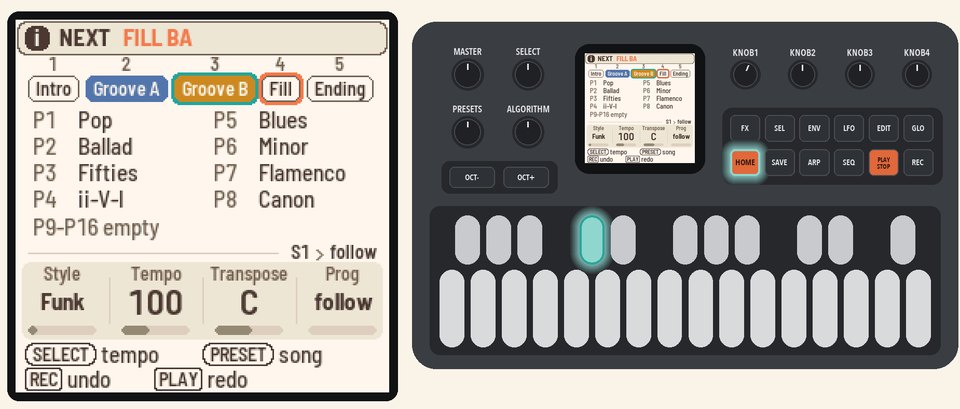 |
5. End itHold HOME and press black key 5. The band plays the Ending and then stops by itself. | 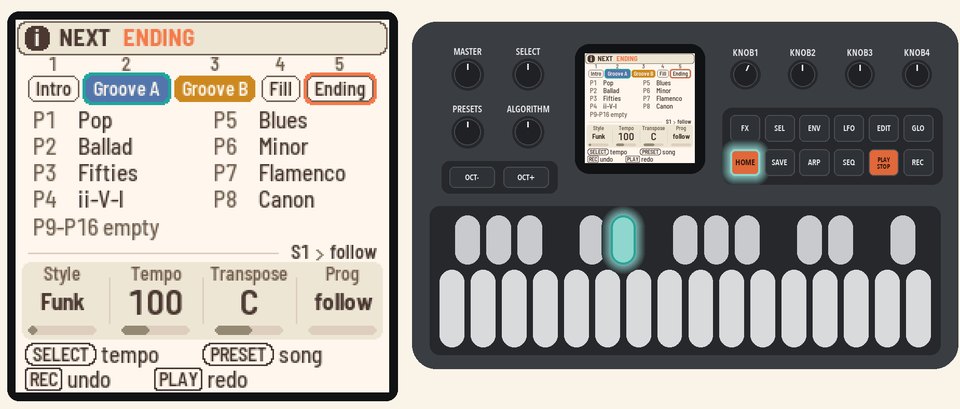 |
More in the manual
For every chord Polly knows, see Playing chords. For the Intro and the other black keys, see Changing grooves. See also Picking a style and Tempo.