Lessons · 107 Fixing notes
107 Fixing notes
Change, move, delete and enter single notes, without recording again.
Picks up where 106 left off, with Polly stopped on the Band page and Funk as the style.
1. Open NotesPress PLAY. On the Band page, turn ALGORITHM to BA for the bass, then press SEQ.The Notes page shows the bass's notes as a piano roll. | 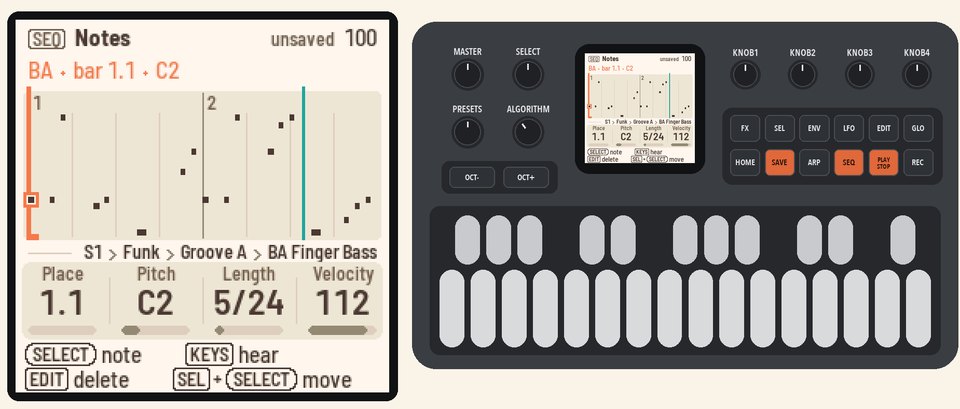 |
2. Pick a noteTurn SELECT to step from note to note. The selected note gets a coral ring, and the line at the top names it.Go back to the first note. It's C2 at bar 1.1. | 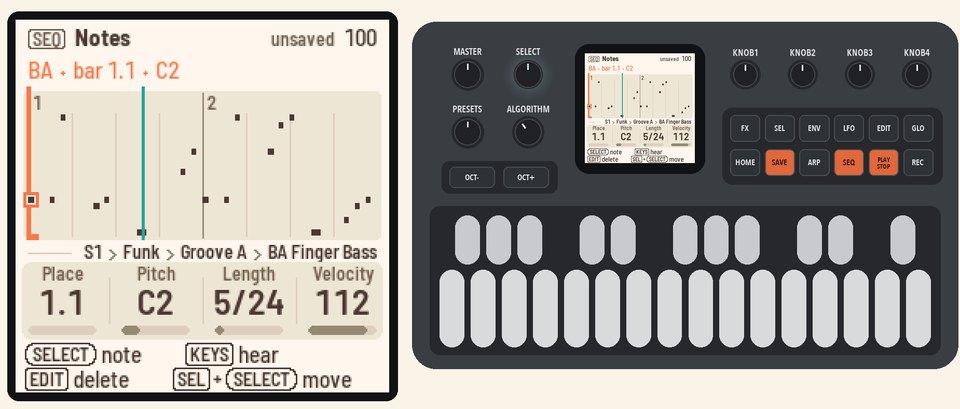 |
3. Change its pitchTurn KNOB 2 (Pitch) one step. On this note the bass always plays the chord's root, so Polly asks "PLAY THIS BASS AS WRITTEN?"Press SEL to answer yes, and the bass plays your notes as written. Keep turning to E2. | 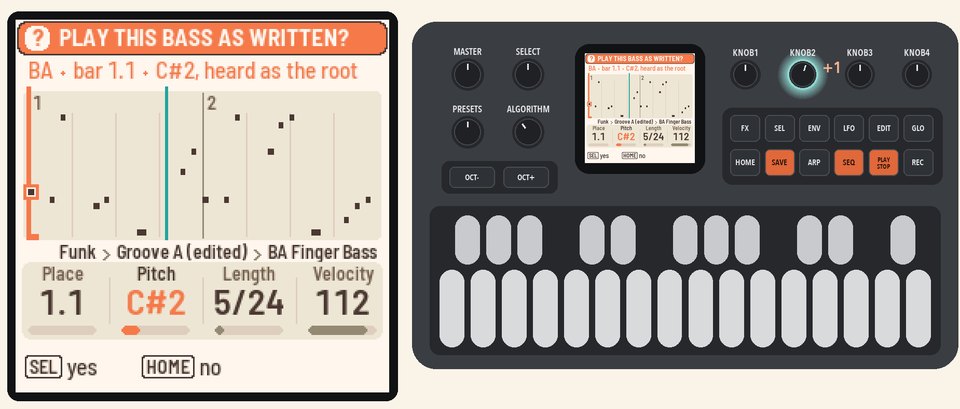 |
4. Change its length and velocityTurn KNOB 3 (Length) up to make the note longer. Turn KNOB 4 (Velocity) down to play it softer. | 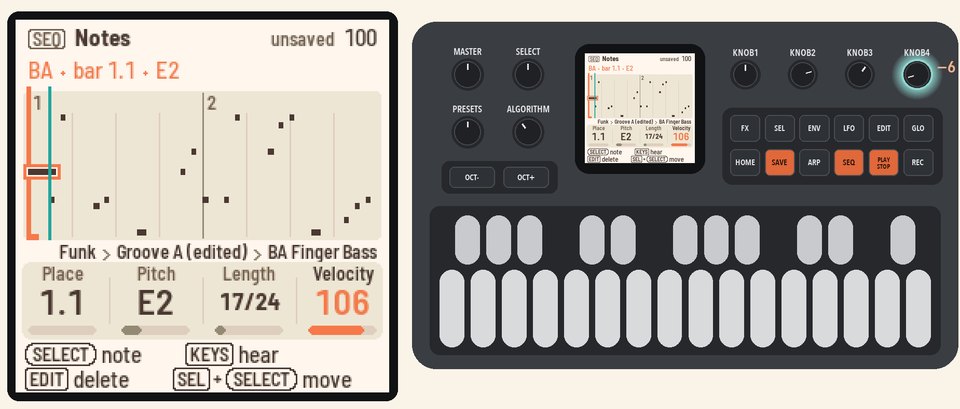 |
5. Move itHold SEL and turn SELECT. The note moves one grid step with each click of the knob. | 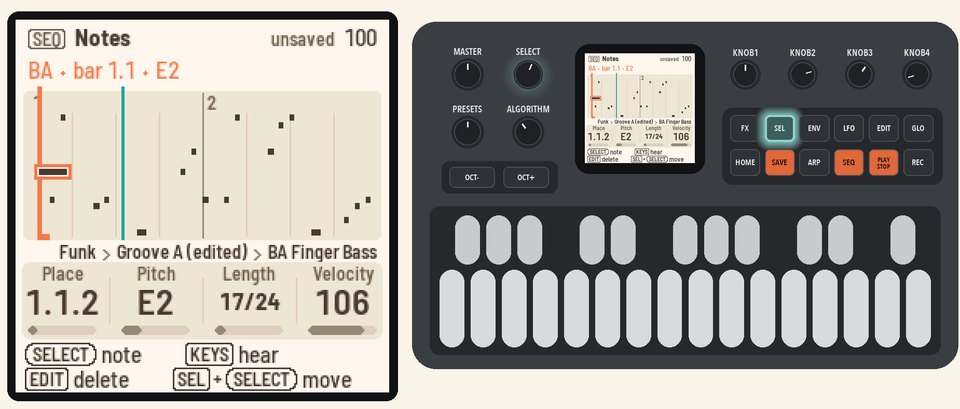 |
6. Delete a note, enter onePress EDIT to delete the selected note.Turn KNOB 1 (Place) to an empty place, then play a key. The note goes in there. | 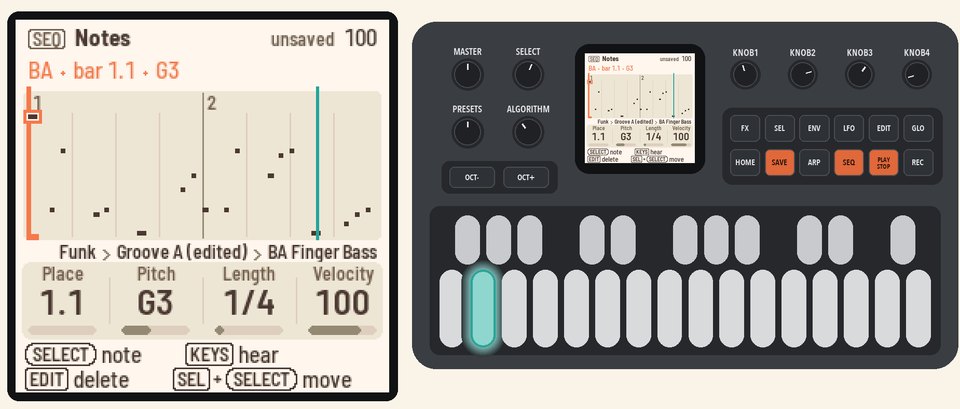 |
7. UndoHold HOME and press REC. Your last edit is undone, and the header tells you what changed.Press PLAY to stop. | 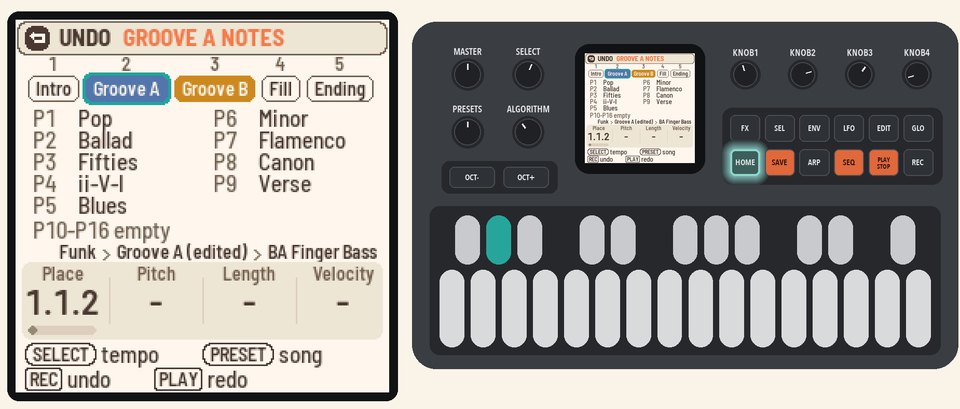 |
More in the manual
For drums, melodies, zoom and erasing while recording, see Fixing notes. See also Undo.