Lessons · 102 Your own progressions
102 Your own progressions
Record your own chords, fix one, change the length, name it, and switch progressions from any page.
Picks up where 101 left off, with Polly stopped on the Home page. Any style works.
1. Record a progressionOn the Home page, press PLAY, then REC. Polly clicks until the next bar, and then starts recording.Play Am, F, C and G, one chord per bar, then press REC again. Your chords go into P9, the first empty progression, and the band plays them in a loop. | 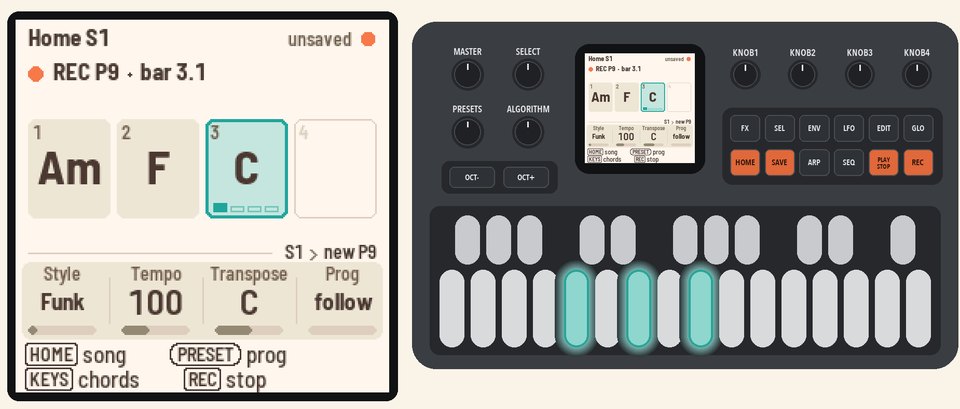 |
2. Fix a chordPress ARP to open the Progression page, where you edit chords. Turn KNOB 1 (Bar) to bar 4.Turn KNOB 3 (Root) to E and KNOB 4 (Type) to 7. G becomes E7. | 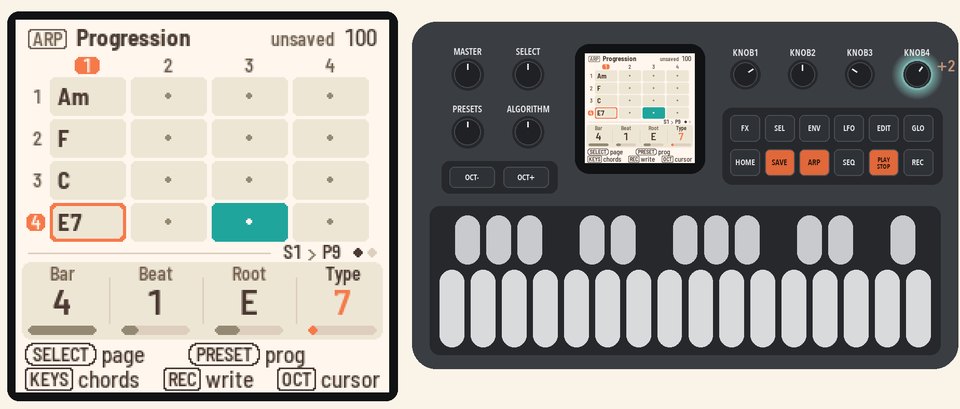 |
3. Change the lengthTurn SELECT to page 2, then turn KNOB 1 (Length) to 2. The band plays Am and F, and Polly hides the other two chords.Turn KNOB 1 back to 4. The hidden chords come back. | 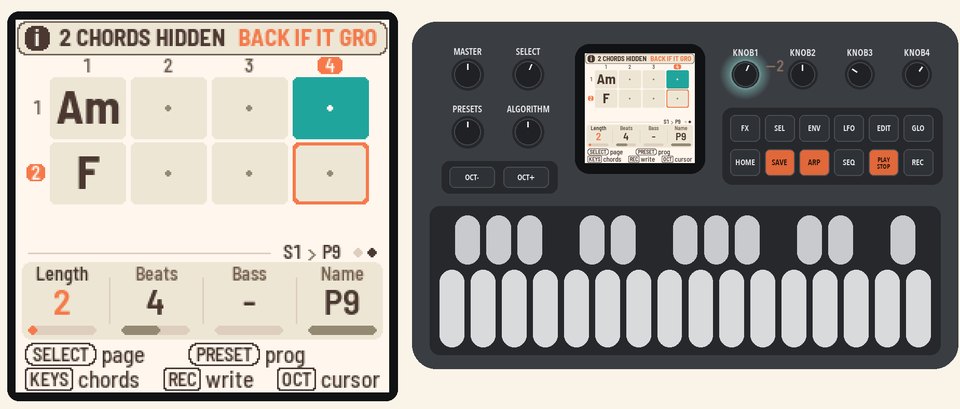 |
4. Name itTurn KNOB 4 (Name) to Verse. | 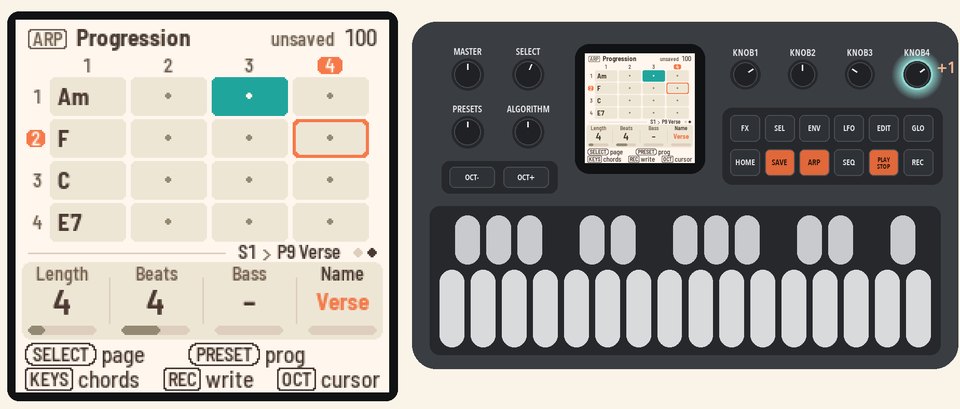 |
5. Switch progressionsHold HOME and press white key 1. From the next bar, the band plays the ready-made progression P1.Hold HOME and press white key 9. Your Verse comes back at the next bar. This works on every page. Press PLAY to stop. | 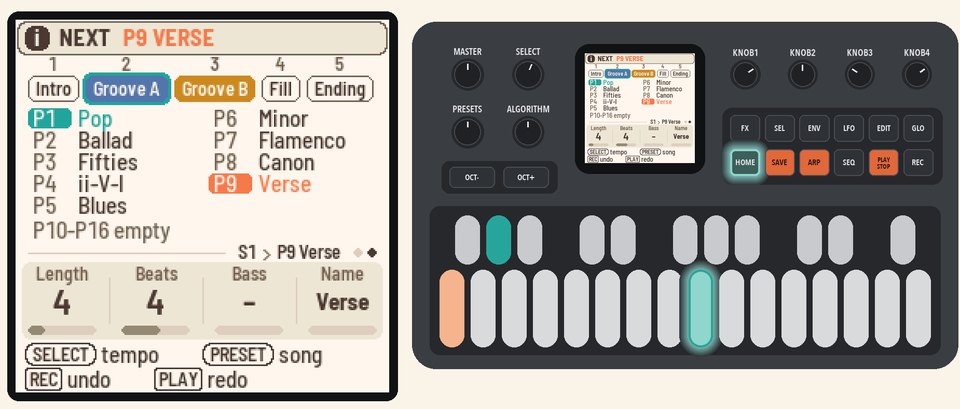 |
More in the manual
For every chord type, see Chords. To write chords while Polly is stopped, and for the rest of the Progression page, see The Progression page (ARP). See also Progressions and Home's Prog knob.