Lessons · 109 Keeping your work
109 Keeping your work
Save, undo, switch songs, free a place in Memory, and back up to your computer.
Picks up where 108 left off, with Polly stopped and your grooves and melodies from 105 to 108 in Memory.
1. SavePress EDIT and turn KNOB 1 (Sound) one step. SAVE lights up, and the header says "unsaved".Press SAVE. When Polly is stopped, it also saves by itself after about four seconds. | 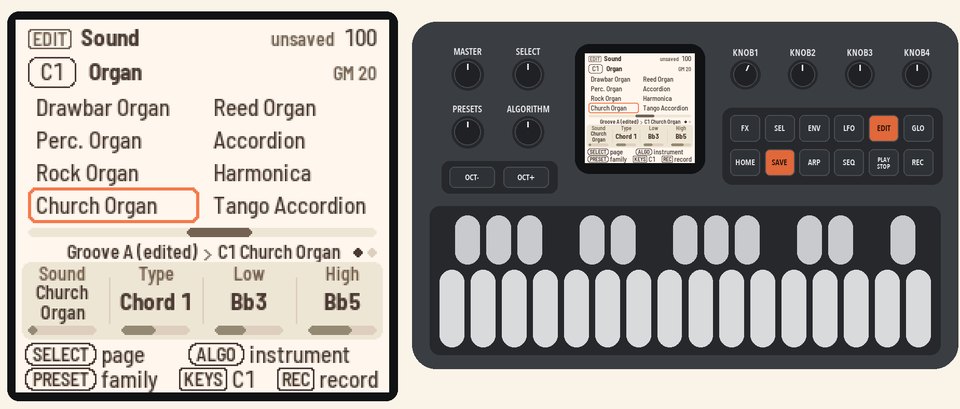 |
2. Undo and redoHold HOME and press REC. The old sound comes back, and the header says "UNDO C1 SOUND".Hold HOME and press PLAY to redo it. | 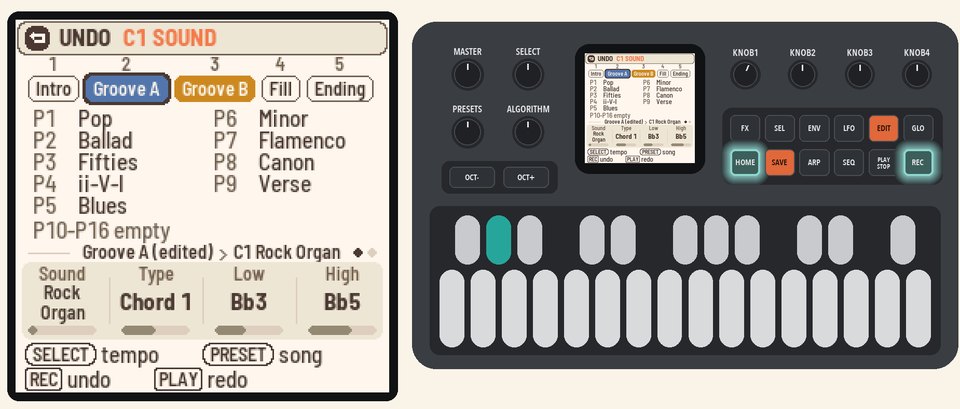 |
3. Switch songsHold HOME and turn PRESETS to switch between songs S1 to S4. The header shows which song you're on. Turn back to S1.Each song has its own sections, progressions, melodies, tempo and style. | 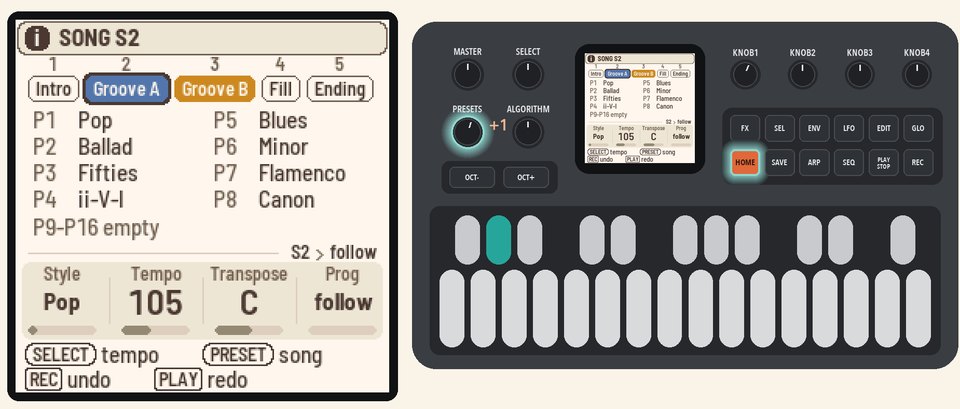 |
4. Open MemoryPress SEQ, then SEL. Turn SELECT down to MEMORY at the bottom, and press SEL.Memory has 16 places, which keep your edited grooves and melodies for all four songs. The header tells you how many are in use. | 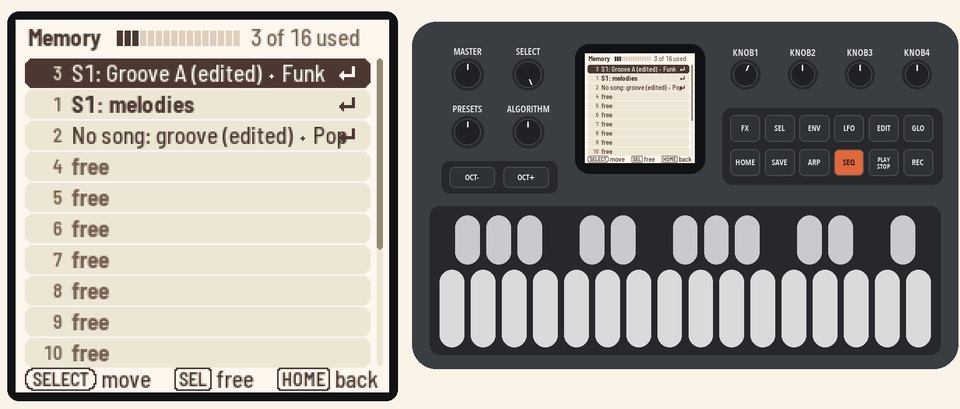 |
5. Free a placeTurn SELECT to the third row, numbered 2. It holds your copy from 106, which no song plays. Press SEL, and Polly asks if you're sure. Press SEL again.The place is now free, and the copy's notes are gone. | 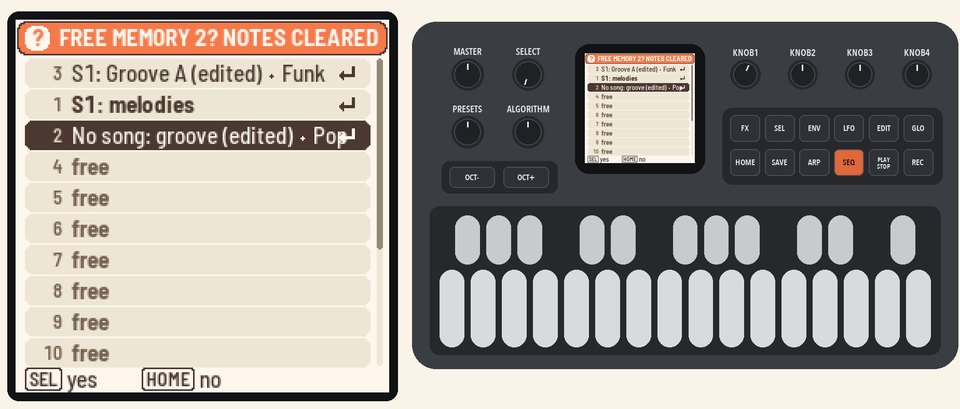 |
6. Back upStop Polly, and connect the FM-1 to your computer with a USB cable. Open the Backup page in Chrome or Edge, and press Back up. The page saves your songs to a file. | |
7. Put it backStop Polly. On the Backup page, choose your file and press Restore. The backup replaces everything on Polly.When Polly shows "RESTORE FROM USB?", press SEL. | |
More in the manual
For what undo covers, see Undo. For what each place holds, see Memory. For what a backup holds and how to restore safely, see Backup. See also Four songs and Saving.