Lessons · 103 Your song
103 Your song
Build a song from two progressions, remove a section, shape the others, and play it.
Picks up where 102 left off, with Polly stopped and a song with no sections yet.
1. Add sectionsPress HOME for the Home page, and HOME again for the Song page.Press white keys 1, 2, 1 and 2. Each white key adds a section that plays that key's progression, so you get P1 Pop, P2 Ballad, P1 Pop and P2 Ballad. | 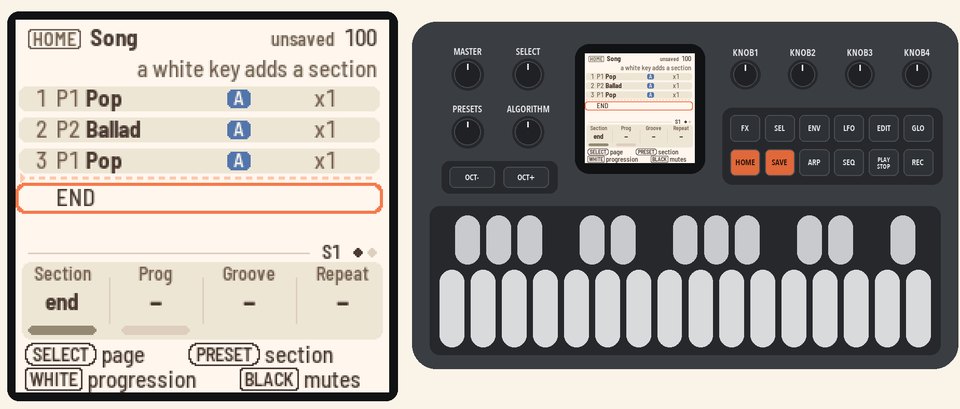 |
2. Remove a sectionTurn KNOB 1 (Section) to section 4. Turn KNOB 2 (Prog) down, past P1, to "–". The row now says "section removed".Press HOME twice to go to the Home page and back to the Song page. Section 4 is gone. | 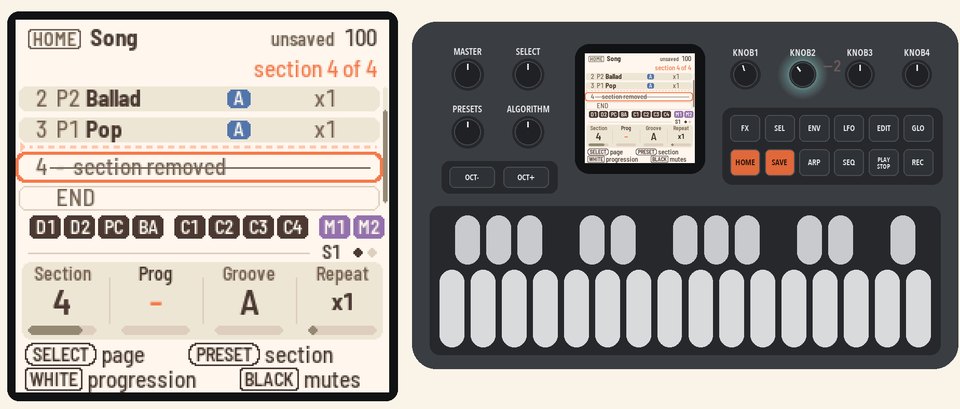 |
3. Shape a sectionTurn KNOB 1 (Section) to section 2. Turn KNOB 3 (Groove) to B for the busier groove. Turn KNOB 4 (Repeat) to x2 so the section plays twice. | 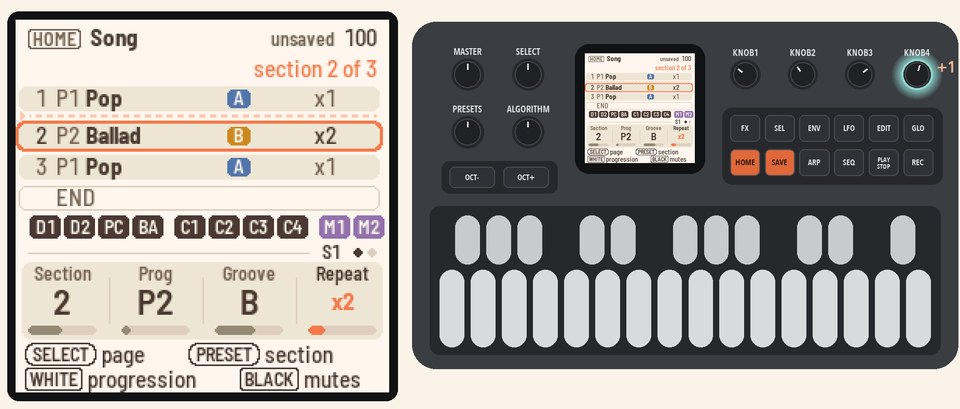 |
4. Mute the drumsTurn KNOB 1 (Section) to section 1. Press black keys 1, 2 and 3 to mute the drums and percussion (D1, D2 and PC).They're muted in section 1 only, and an M appears on its row. | 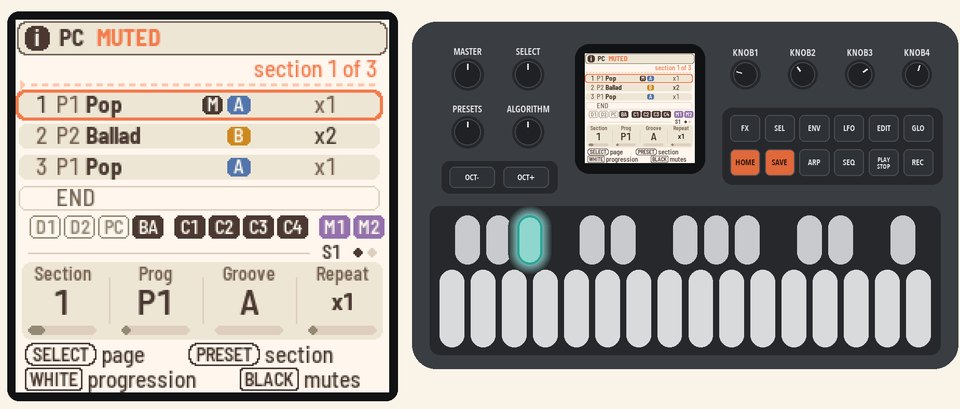 |
5. Check the Intro and the EndingTurn SELECT to page 2. KNOB 2 (Intro) and KNOB 3 (Ending) are on, so the song starts with the style's Intro and ends with its Ending.KNOB 4 (At end) is on "stop", so the song stops after the Ending. | 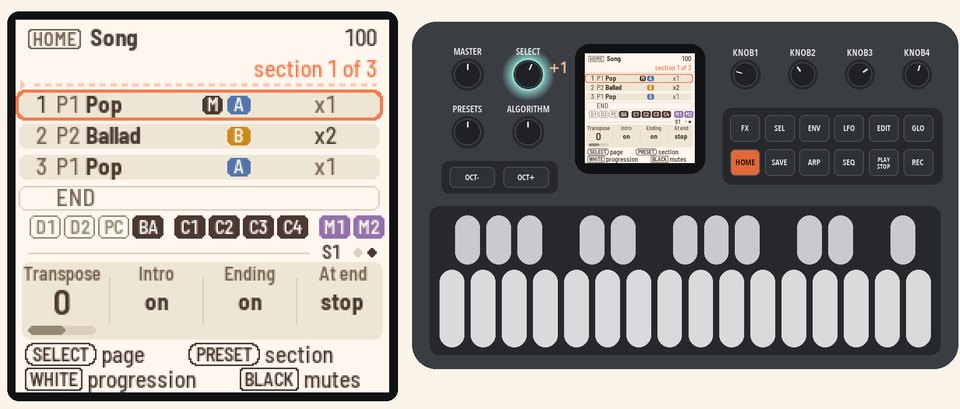 |
6. Play the songPress PLAY. The Intro plays first, with its clock filling up at the top.Then each section plays in turn, and its clock fills up as it plays. After section 3, the Ending plays and the song stops. | 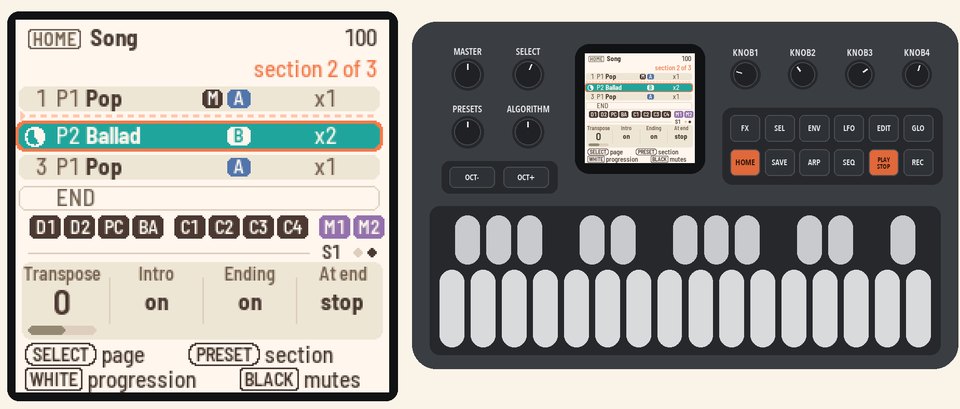 |
More in the manual
For every knob, the mutes and the clocks, see The Song page (HOME, HOME again).